Billing Software
The billing counter for YMTS, redesigned screen by screen so the queue keeps moving.
Overview
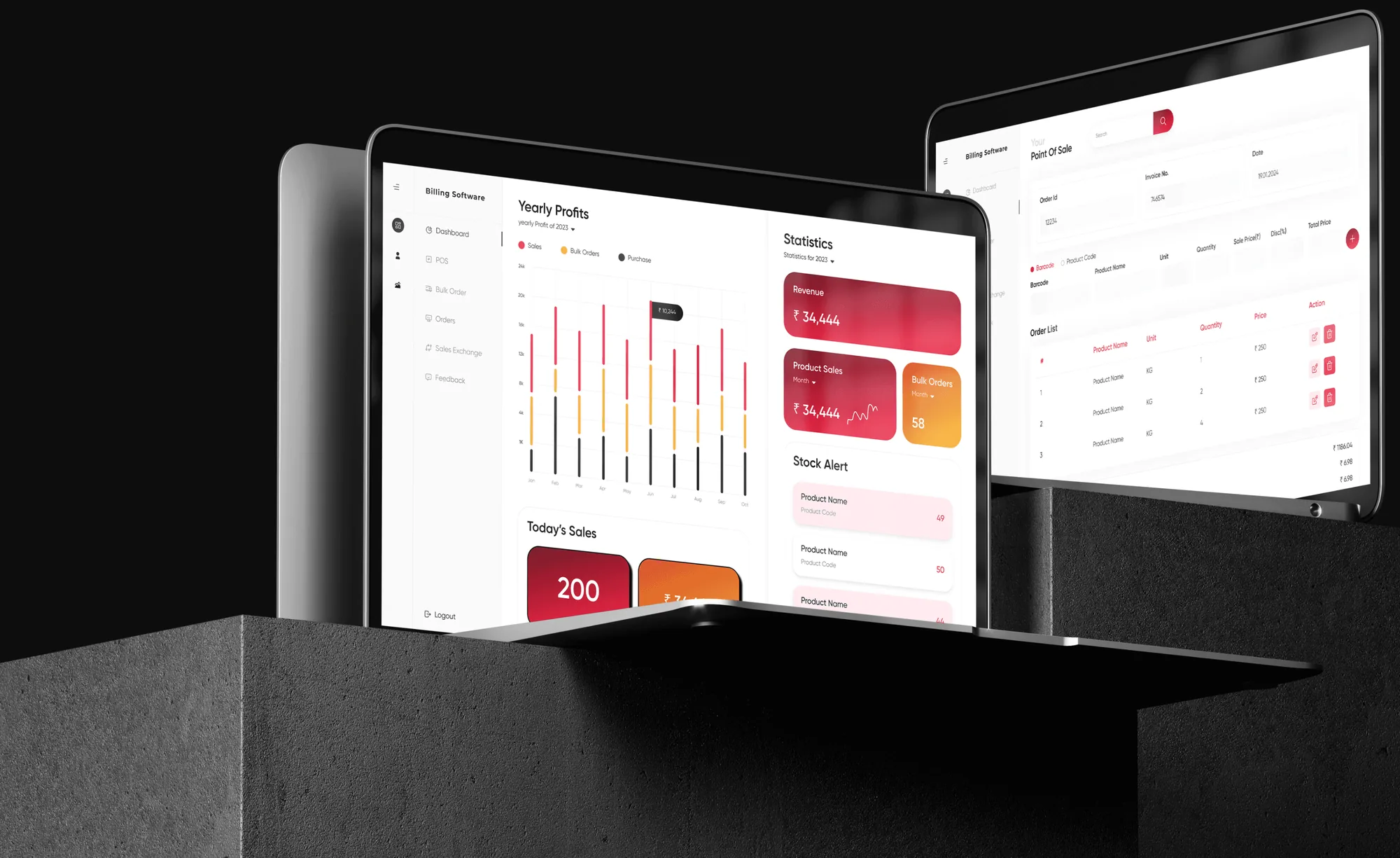
YMTS billing software runs the counter for businesses across industries: invoicing, stock, staff and the money in between.
The old version worked, but slowly. I redesigned it so a cashier can find a product, bill it and move to the next customer without hunting through the screen.
- 30%less time to process an invoice
- 4screens rebuilt: point of sale, dashboard, navigation and stock
- 11 to 3one menu of eleven items became three short groups
- 8new modules added to the product
Process
Scope on this project: Research, redesign, UI design
- Research
- Analysis
- Ideation
- Wire framing
- Prototyping
- Usability testing
- Feedback
- UI design
- Development handoff
Point of sale
Drag to compare. The numbered screen below explains each change.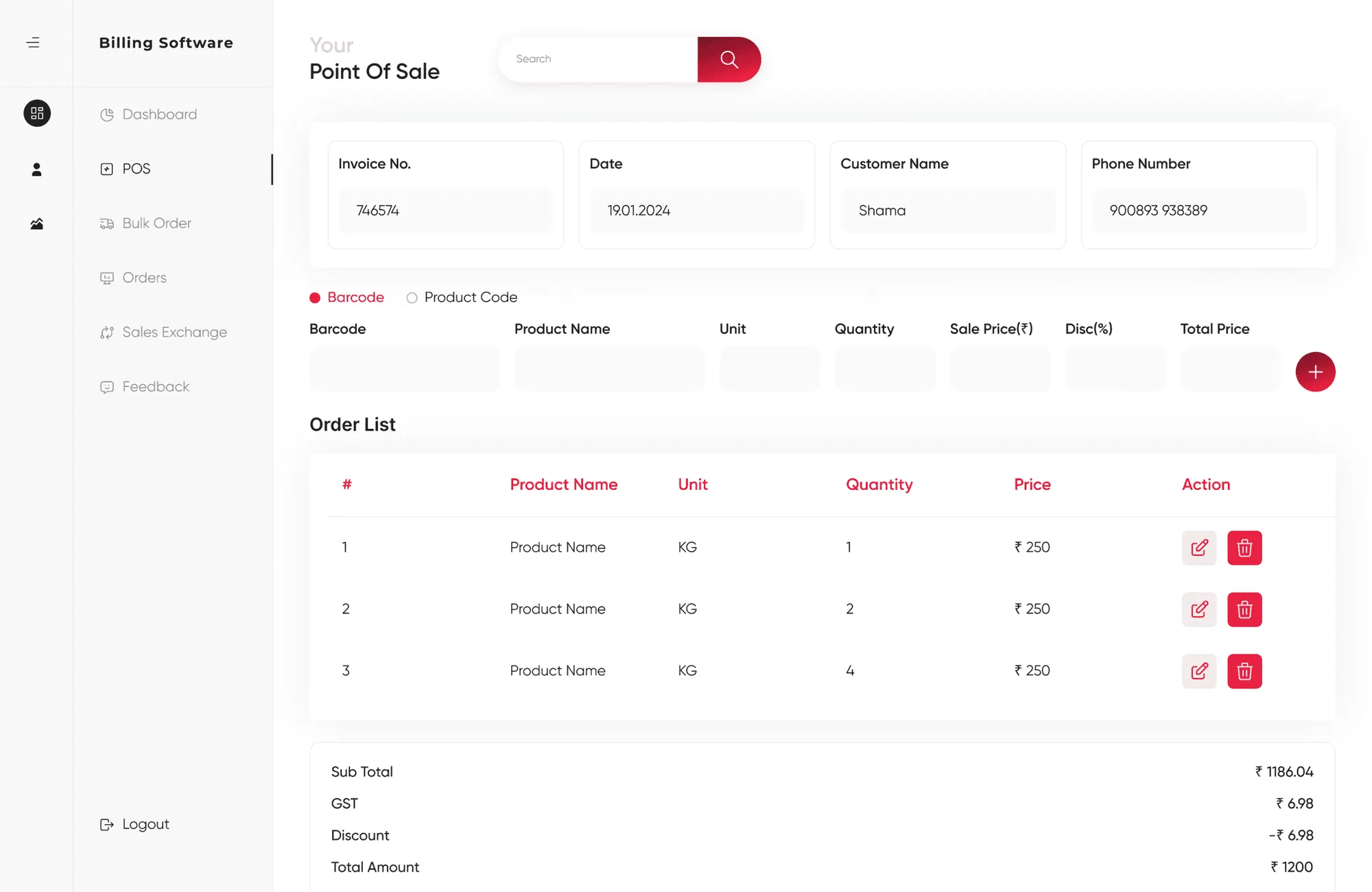
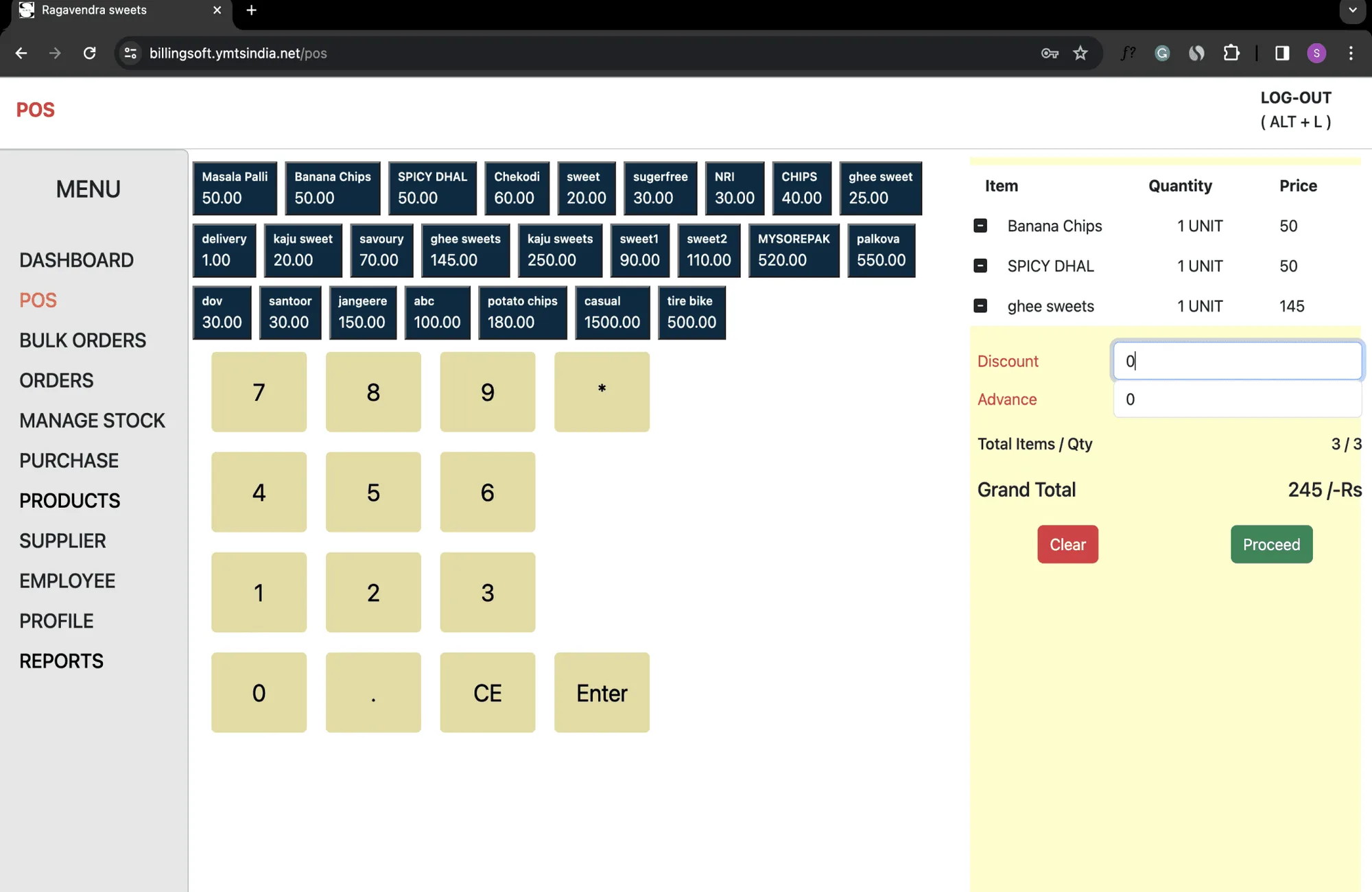
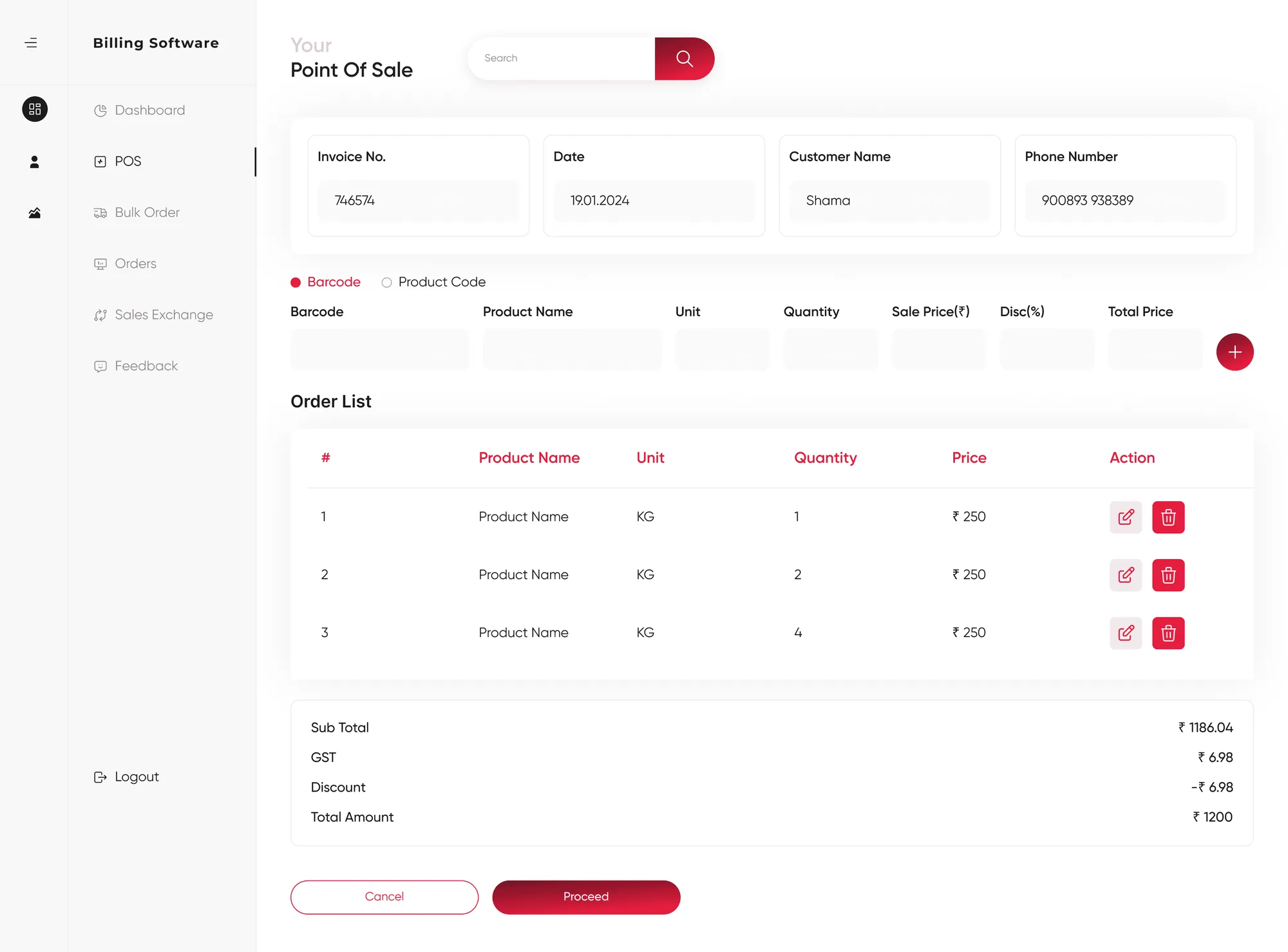
- 1
Search bar
Find a product quickly instead of scanning a wall of buttons.
- 2
Product details
Full information on every item, so the cashier knows exactly what is being billed.
- 3
Barcode or product code
Scan it or type it. Both work.
- 4
Discount option
Discounts go in at the order, for offers and price changes.
- 5
Usable on day one
Clear enough for someone new at the counter, fast enough for someone who is not.
- 6
Product management
Edit, delete or change a quantity straight from the order list.
- 7
Customer name and phone
Search past orders by name or number, even when the bill is lost.
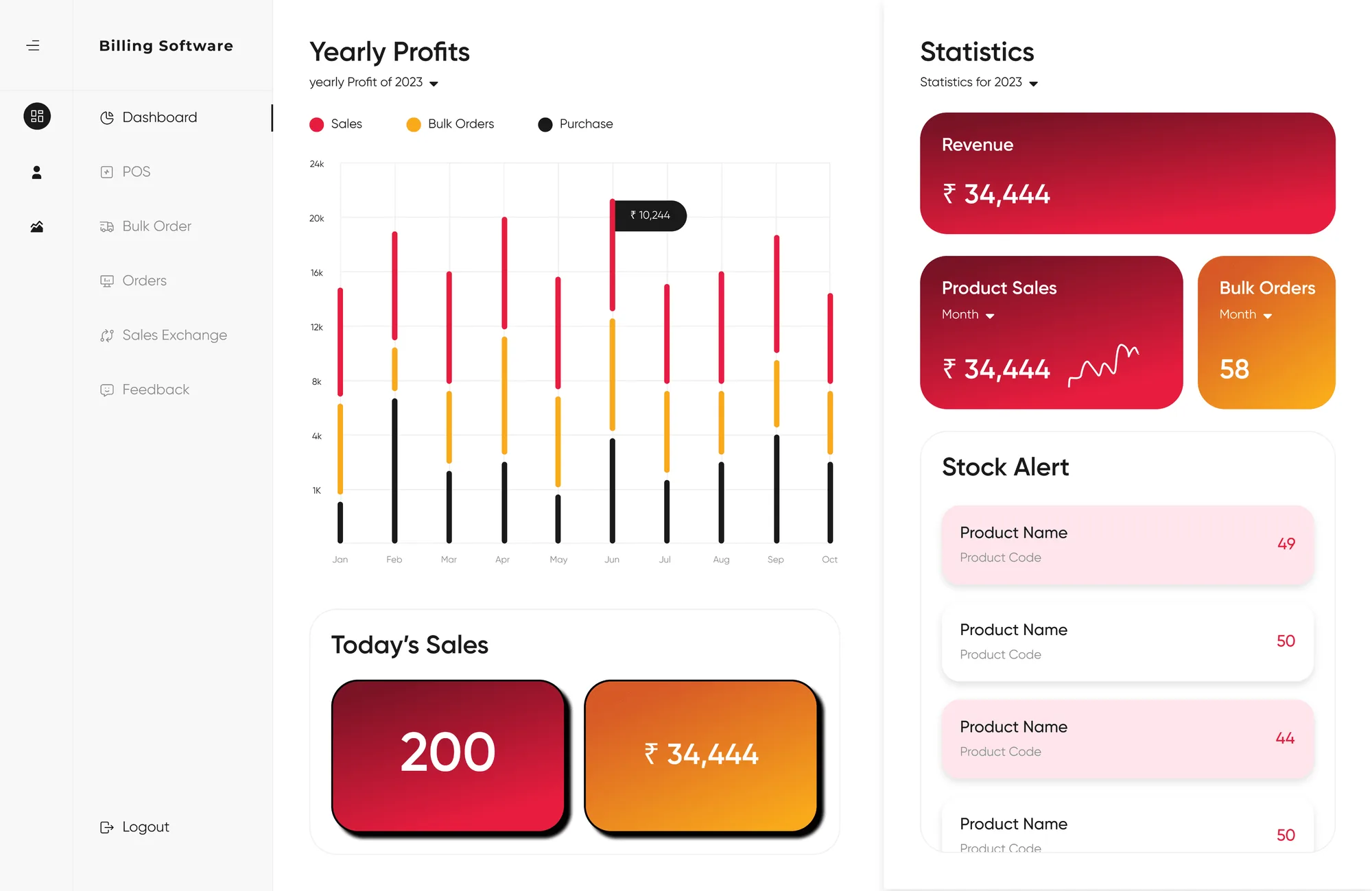
Dashboard
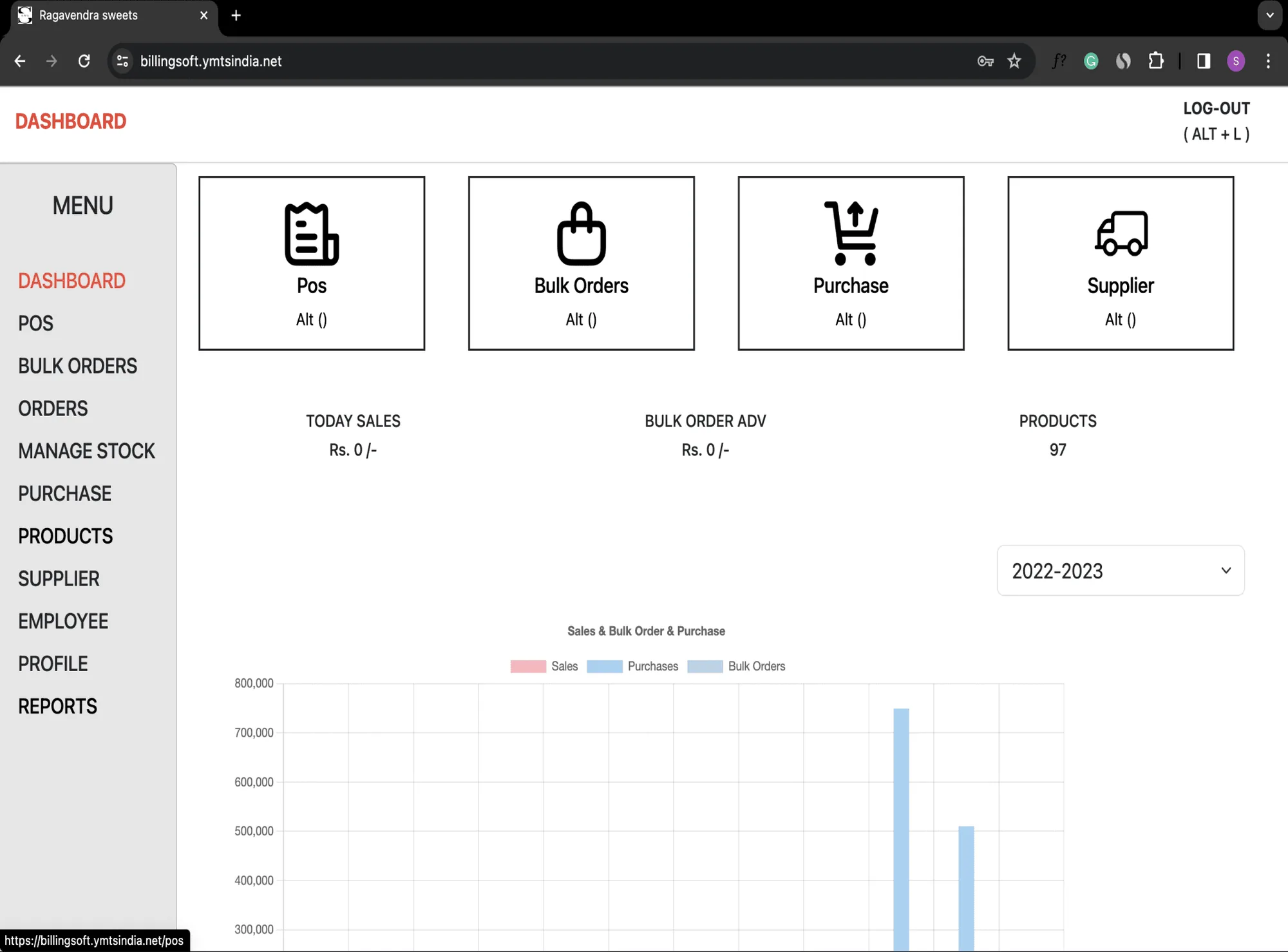
The same data, arranged so it can be read at a glance.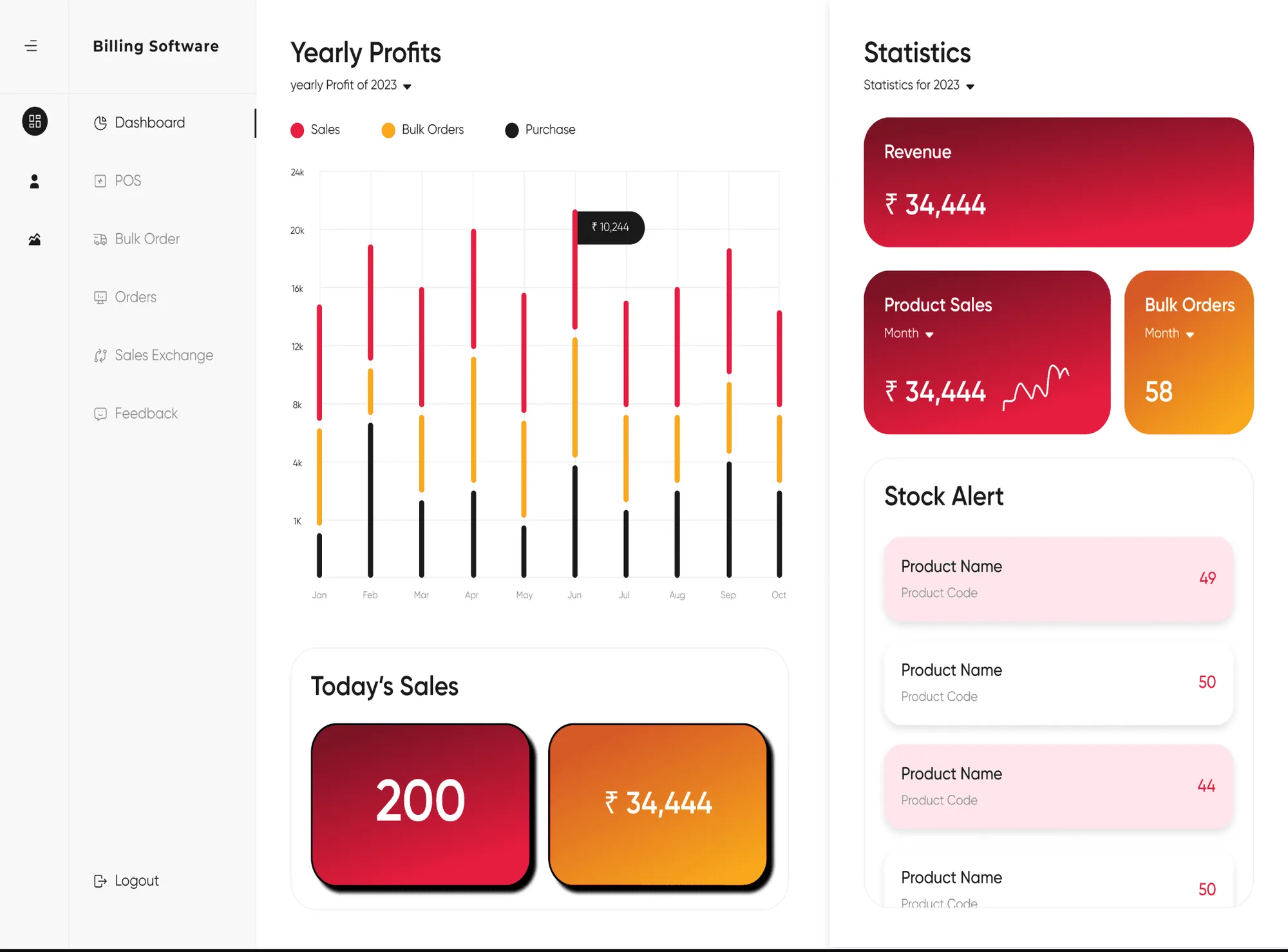
- 1
Stock alert
Products running low appear on the dashboard with their counts.
- 2
Today’s sales and cash
The day’s sales count and cash, live, without opening a report.
- 3
Revenue and product sales
Revenue and product sales in one view, filtered by year and month.
Navigation
Eleven items in one list became three groups, ordered by how often they are used.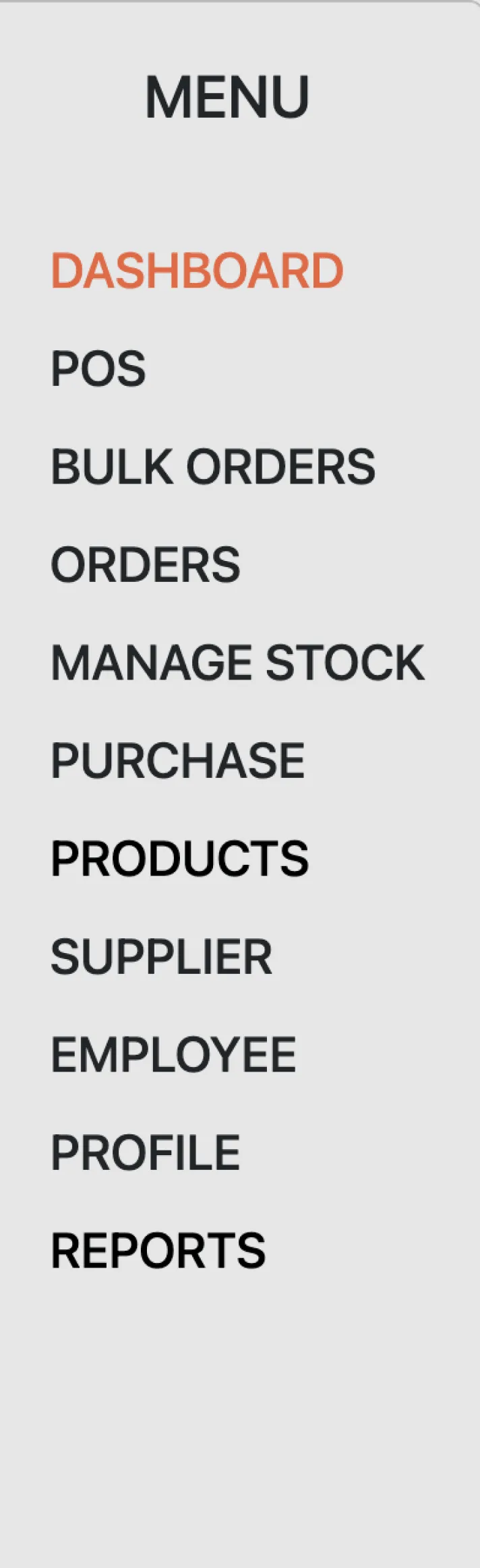 Before
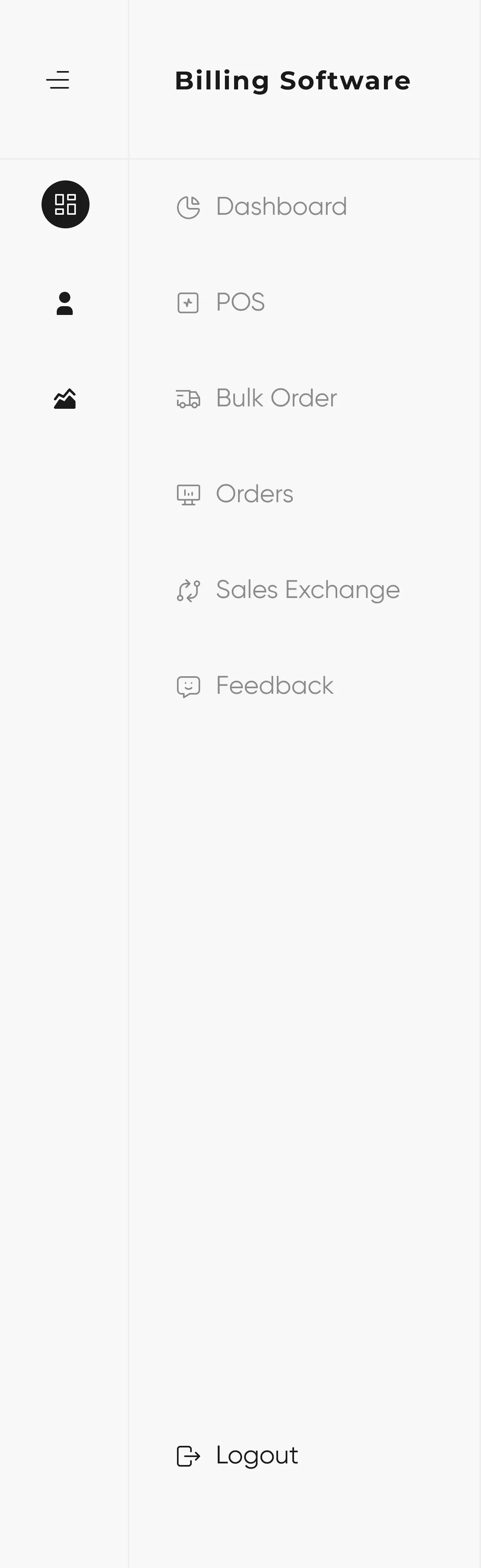 Daily
Daily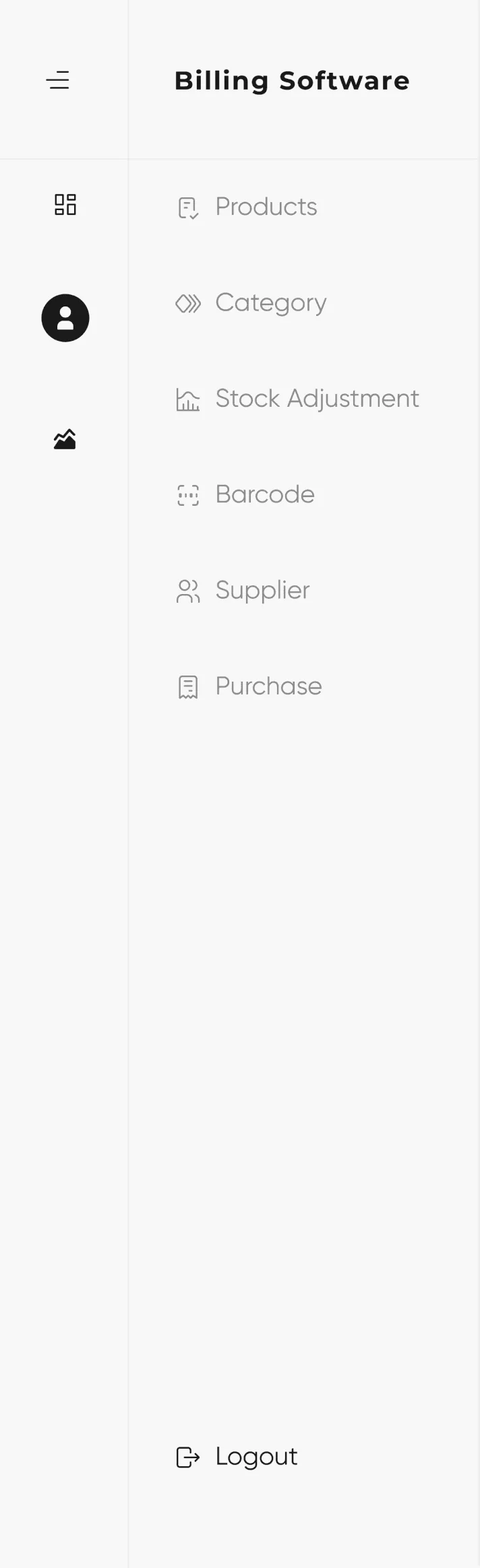 Occasional
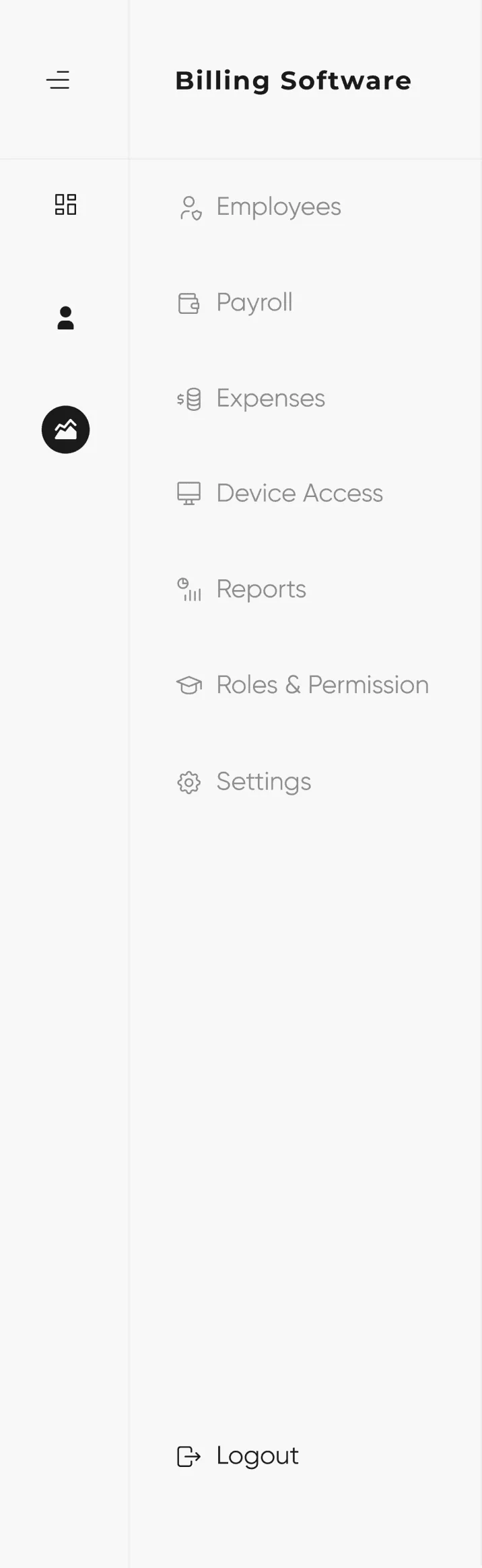 Business
- Sales exchange
- Feedback
- Barcode
- Payroll
- Expenses
- Device access
- Roles and permission
- Settings
The eight modules added in the redesign.
Daily usage
What a cashier touches every day comes first, so taking an order never starts with a search.
Least usage
Product lists, order history and supplier details: available, but out of the main view.
Business management
Employees, payroll, expenses and the rest of running the shop.
Stock
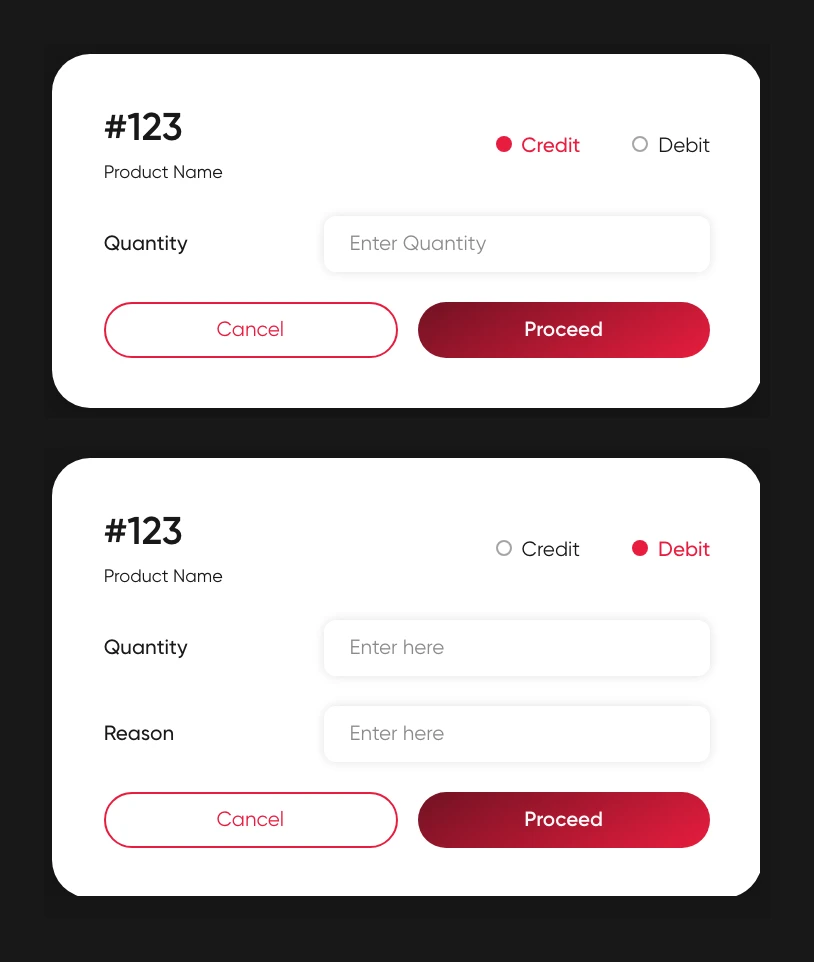
A table edited through a popup became two clear actions.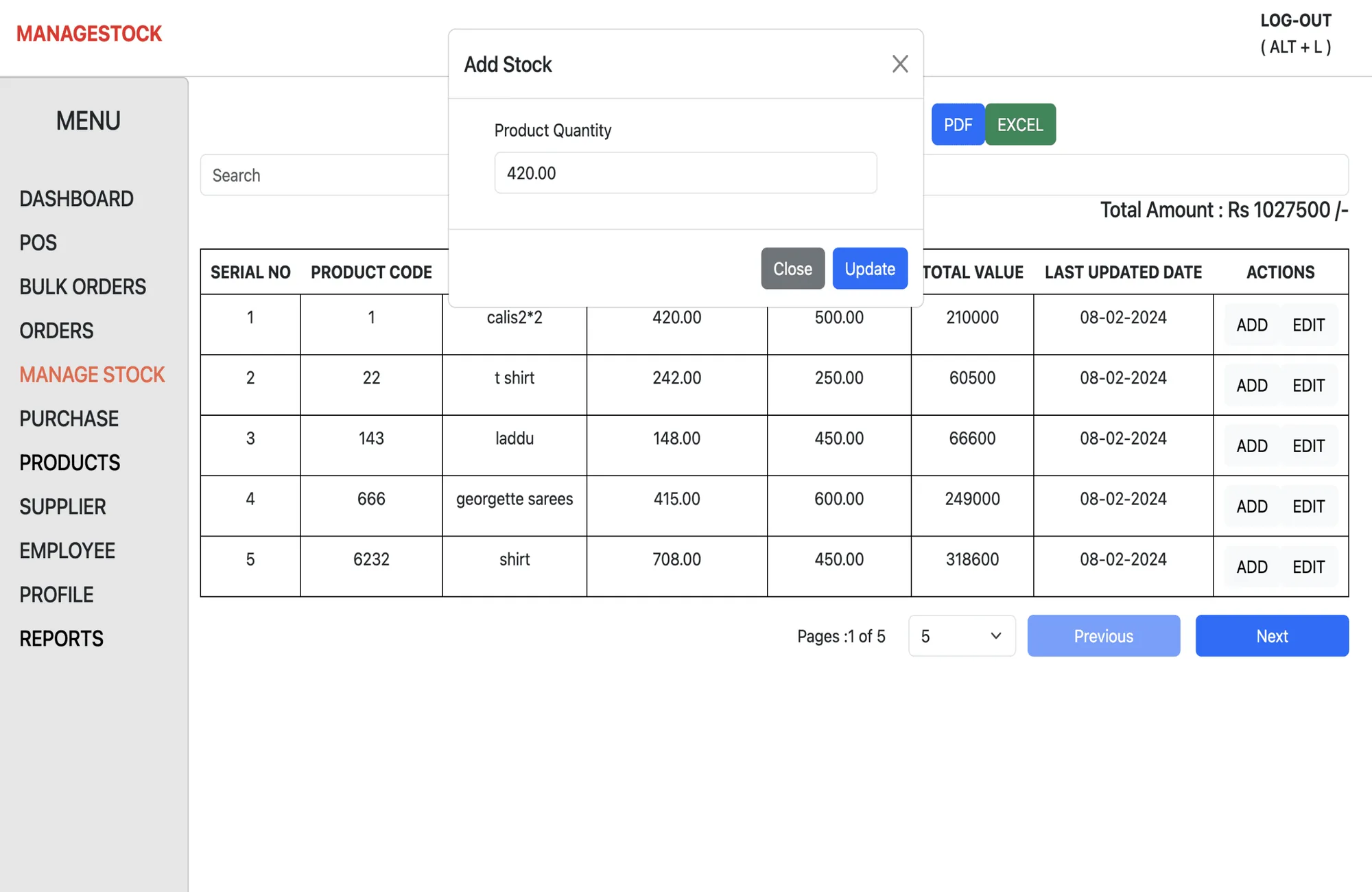 Before
 After
AfterCredit
Add products to inventory when new stock arrives.
Debit
Remove products, with a reason: expired items, excess stock, corrections.
Type and colour
Regular, Medium, Bold